alternative

Ideal11 The Home of Fantasy Cricket

  • Create Your Dream Team: Build your ideal cricket team by selecting real-world players, earning points based on their live match performances like runs, wickets, and catches.
  • User-Friendly for All: With an intuitive interface, Ideal11 suits both casual cricket fans and strategic enthusiasts, offering seamless team management and gameplay.
  • Diverse Competitive Leagues: Join public contests with thousands or private leagues with friends, fostering exciting rivalries and community engagement.
  • Real-Time Engagement: Enjoy live scoring updates, in-depth player statistics, and strategic depth to test your cricket knowledge and outsmart opponents.
  • Rewarding Experience: Climb global leaderboards, compete for cash prizes and exclusive merchandise, and elevate your cricket passion with thrilling, transparent gameplay.

alternative
alternative

Fantasy Cricket on Ideal11 Cricket Arena

  • Fantasy Cricket is the heart of online sports gaming in worldwide, and Ideal11 brings you the most thrilling way to play.
  • Create your dream team using real-life cricket stars and compete in leagues like the Pakistan Super League (PSL), Asia Cup, and World Cup.
  • Score points based on your players' actual performance on the field — it's all about skill, strategy, and cricket knowledge.
  • Join Ideal11 today and turn every match into a chance to win and showcase your cricket IQ!
alternative

How to Register on Ideal11

Follow these simple steps to create your Ideal11 account and start playing fantasy cricket!

1
Step 1 — Click “Register”

On the top-right corner of the homepage, you’ll see two buttons Login and Register. Click on Register to open the signup form.

Step 1 Image
2
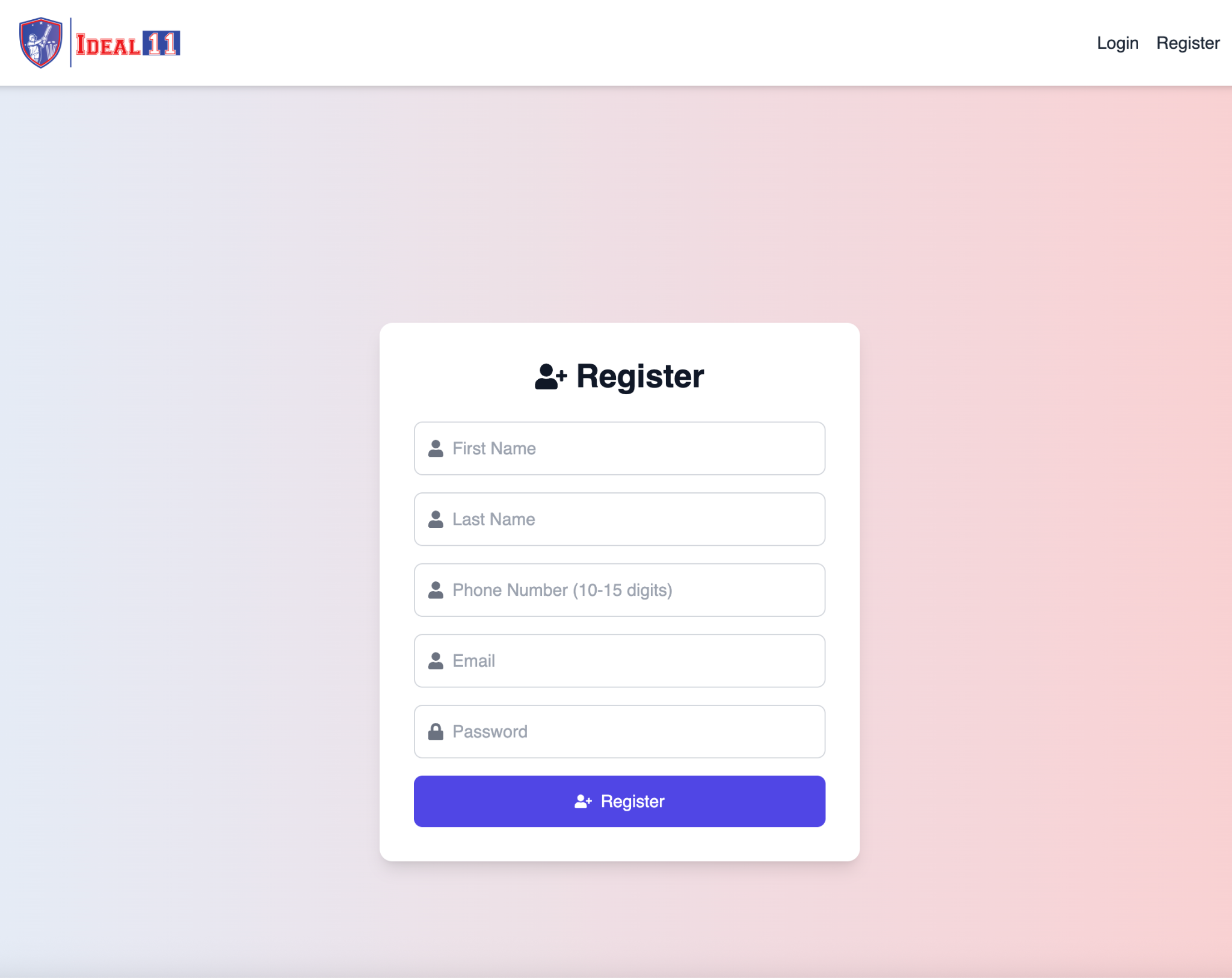
Step 2 — Fill in Your Details

You’ll now see a registration form like this:

  • First Name
  • Last Name
  • Phone Number (10-15 digits)
  • Email Address
  • Password
Make sure to enter correct information — it will be used for verification and withdrawals later.

Step 2 Image
3
Step 3 — Submit the Form

After filling in your details, click the Register button. Our system will instantly create your account and redirect you to the Welcome to Ideal11 page.

alternative

How to Create Your Fantasy Team on Ideal11

Follow these steps to build your perfect playing XI before joining a contest!

1
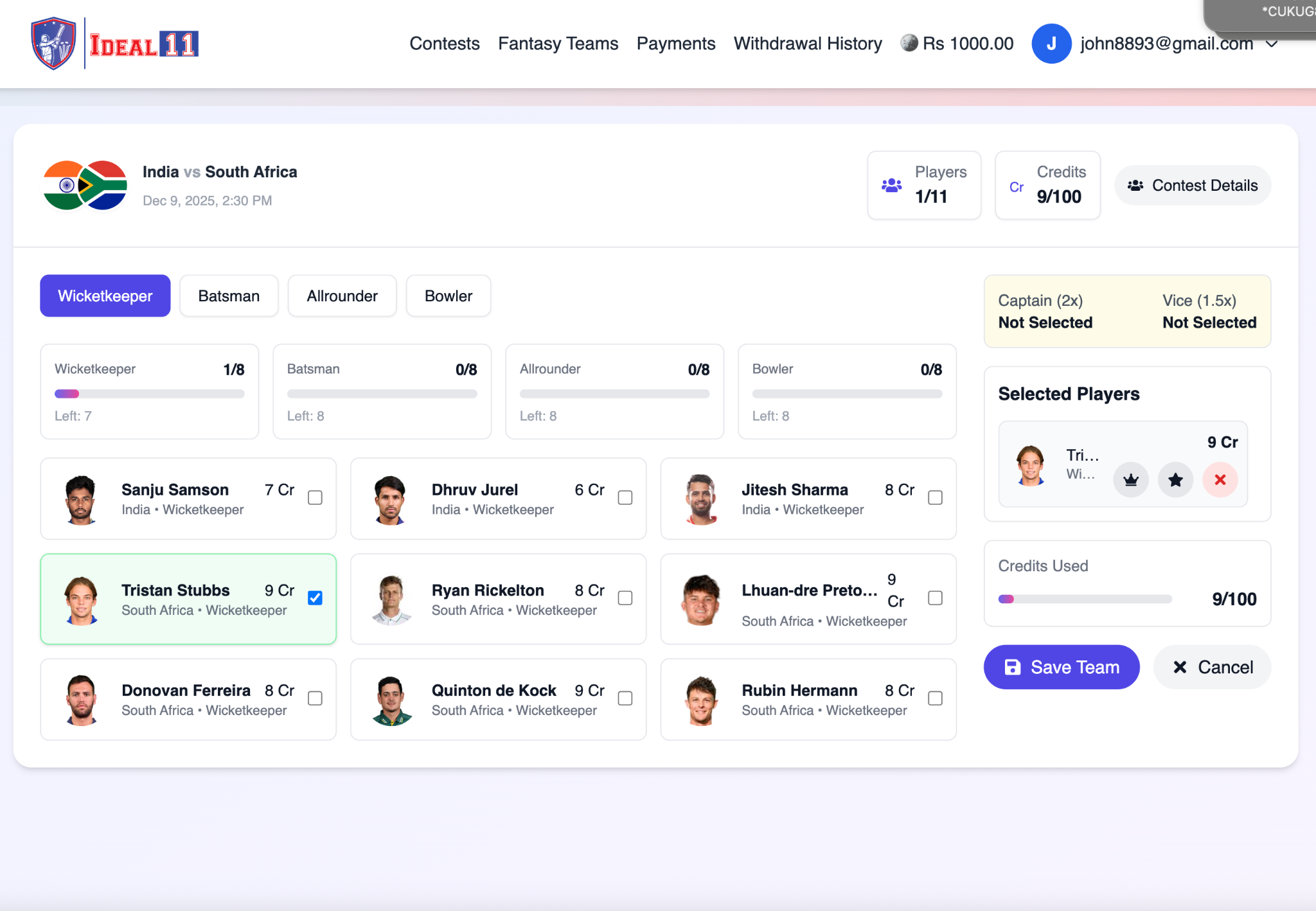
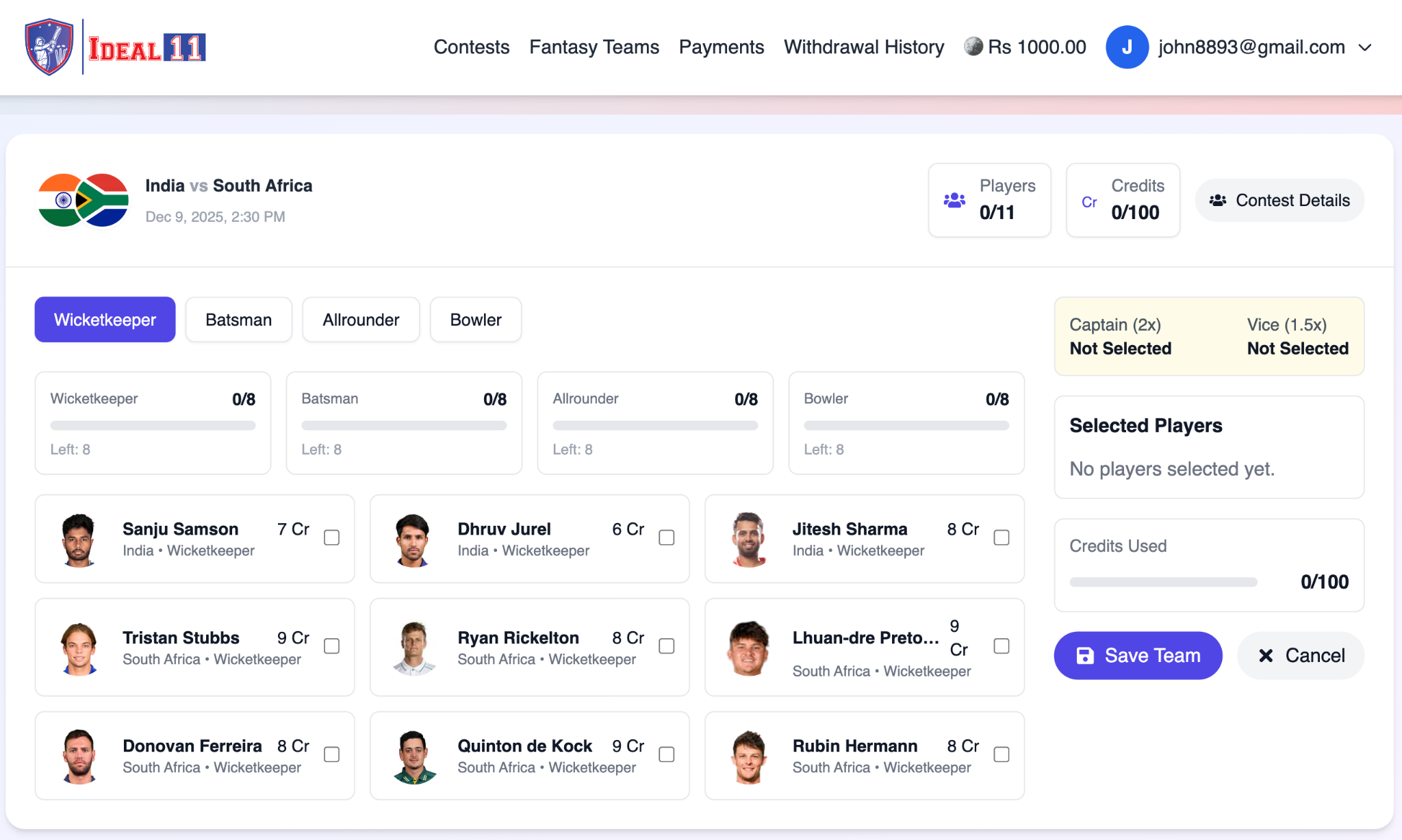
Step 1 — Start with Wicketkeepers

Your first category is Wicketkeepers. You will see all available keepers from both teams. Choose 1 wicketkeeper you believe will perform well, and tick the checkbox to add them to your team.

Step 1 Image
2
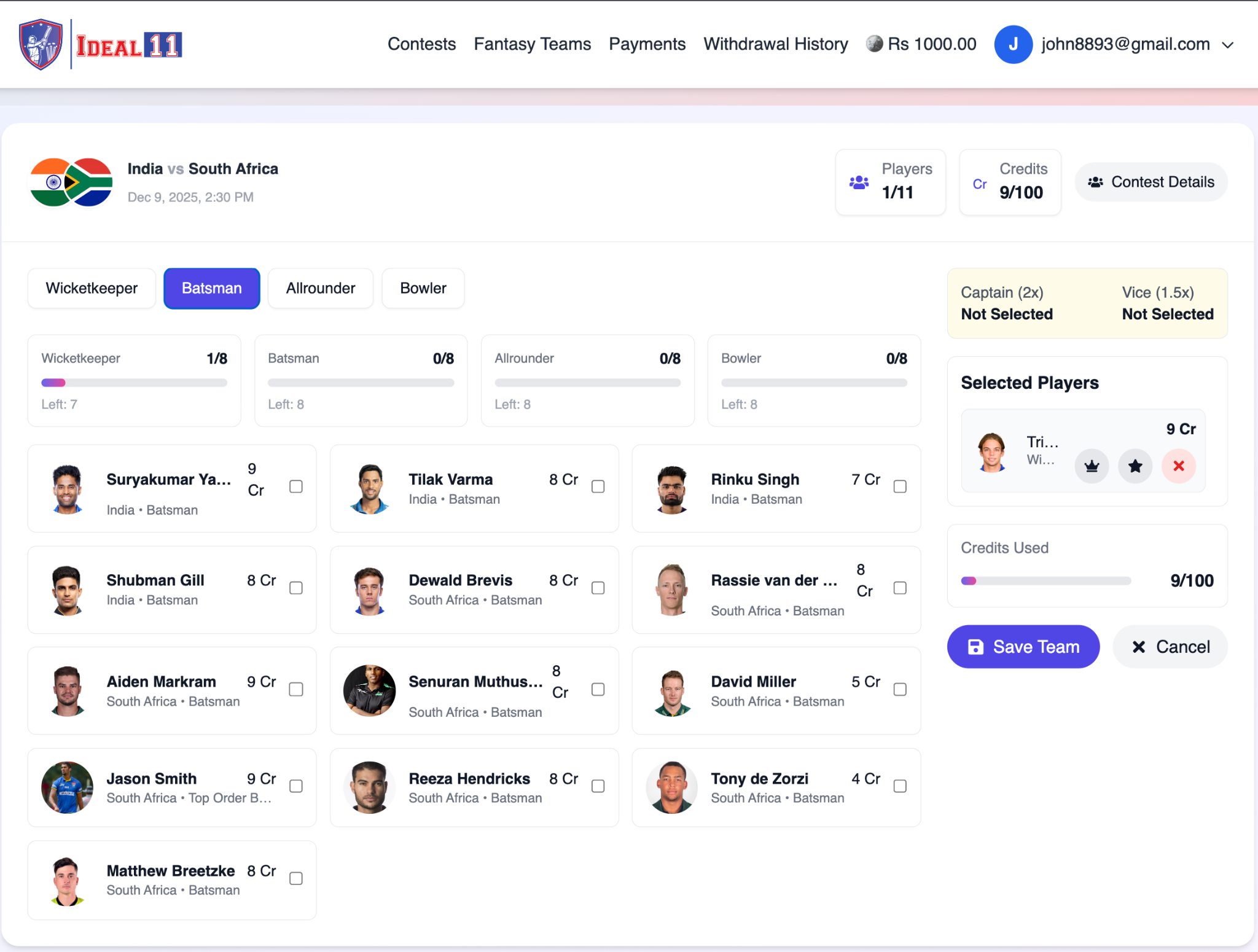
Step 2 — Select Batsmen

Click the Batsman tab to view all batters from both teams. Pick 3 or 4 batsmen depending on your strategy. Choose reliable top-order and in-form performers for better scoring.

Step 2 Image
3
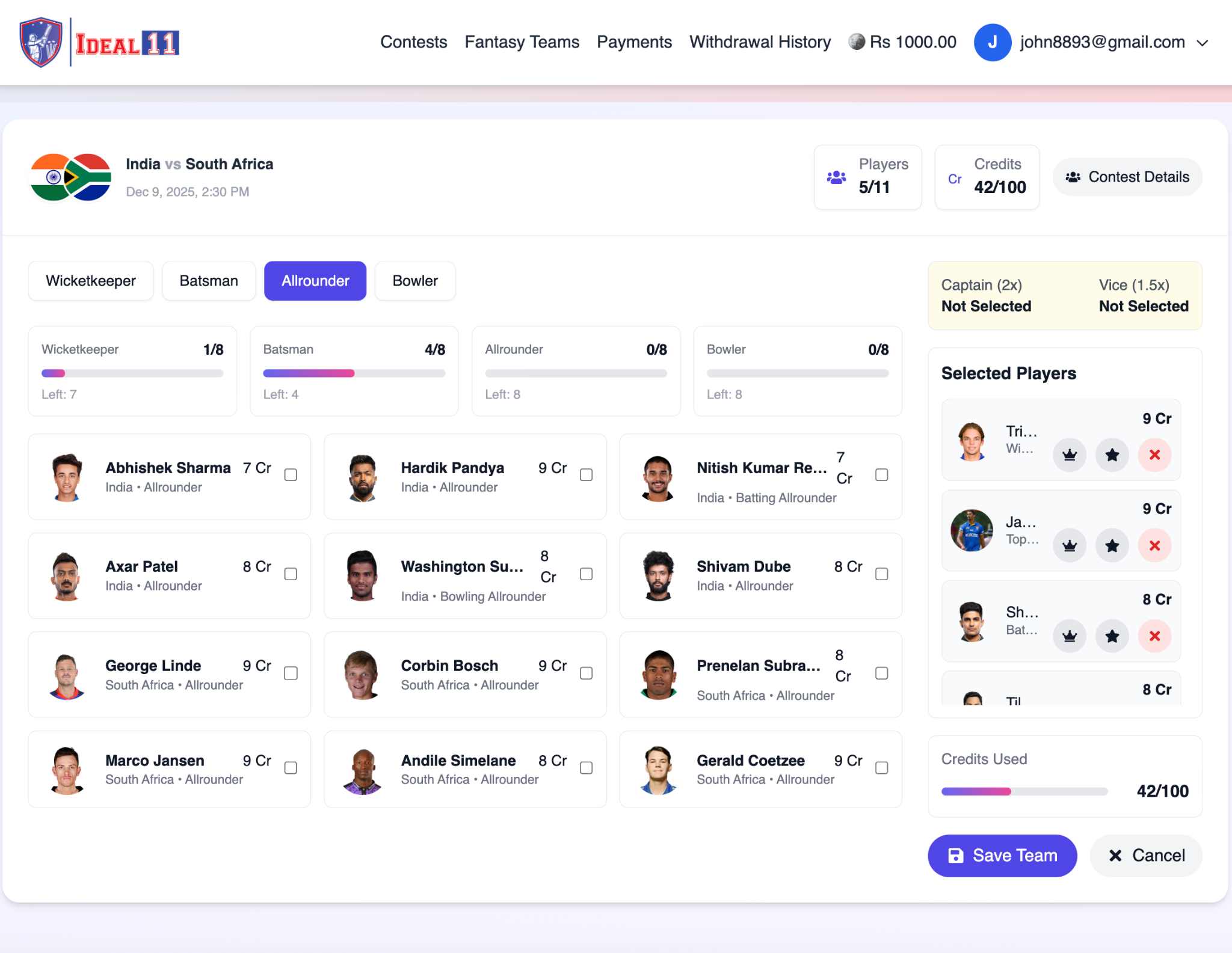
Step 3 — Add All-Rounders

Open the Allrounder tab. These players can bat and bowl — giving double scoring opportunities. Choose 3 or 4 all-rounders based on form, batting order, and expected overs.

Step 3 Image
4
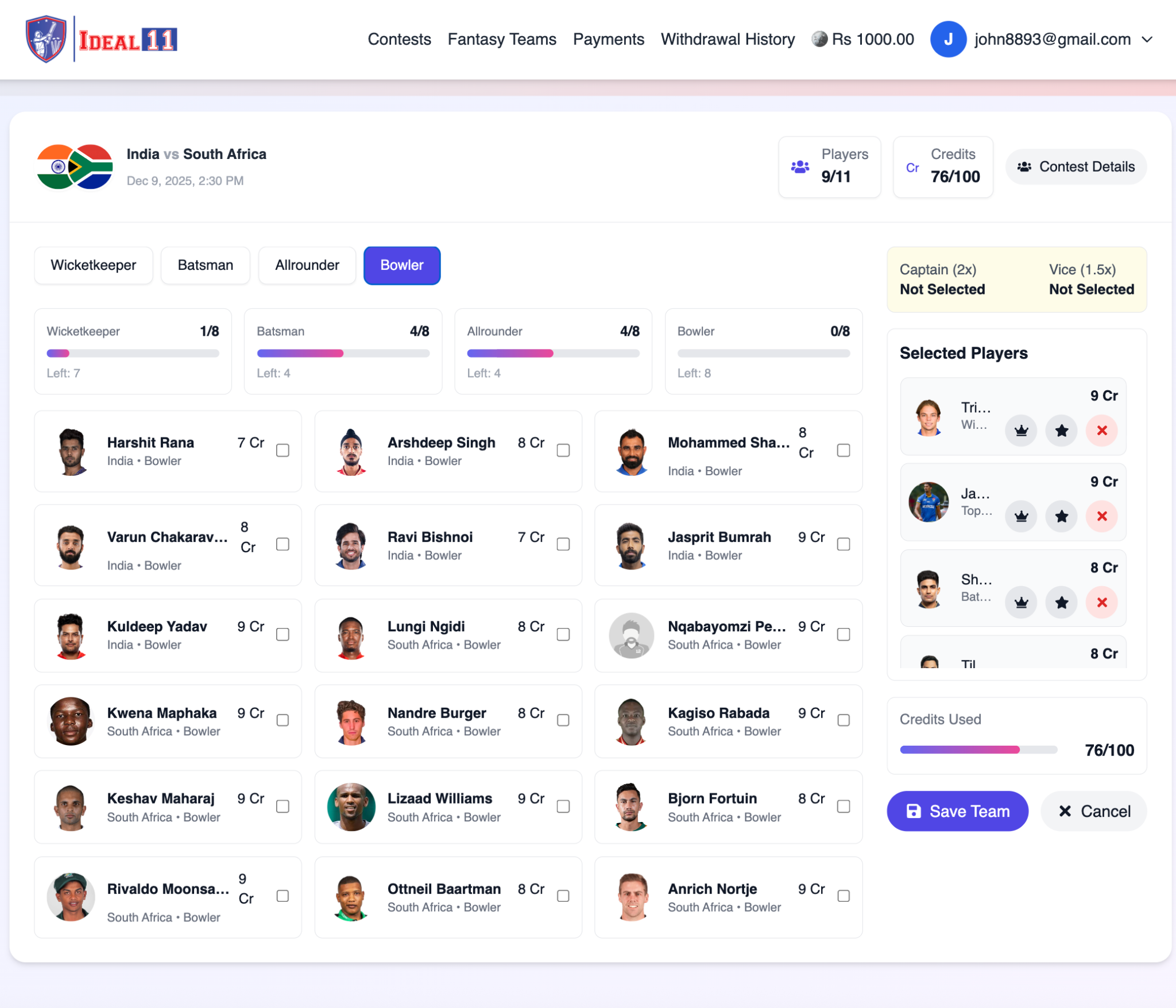
Step 4 — Choose Bowlers

Click the Bowler tab to view all bowlers with their credits. Select 3 or 4 bowlers who are likely to take wickets or bowl economical spells.

Step 4 Image
5
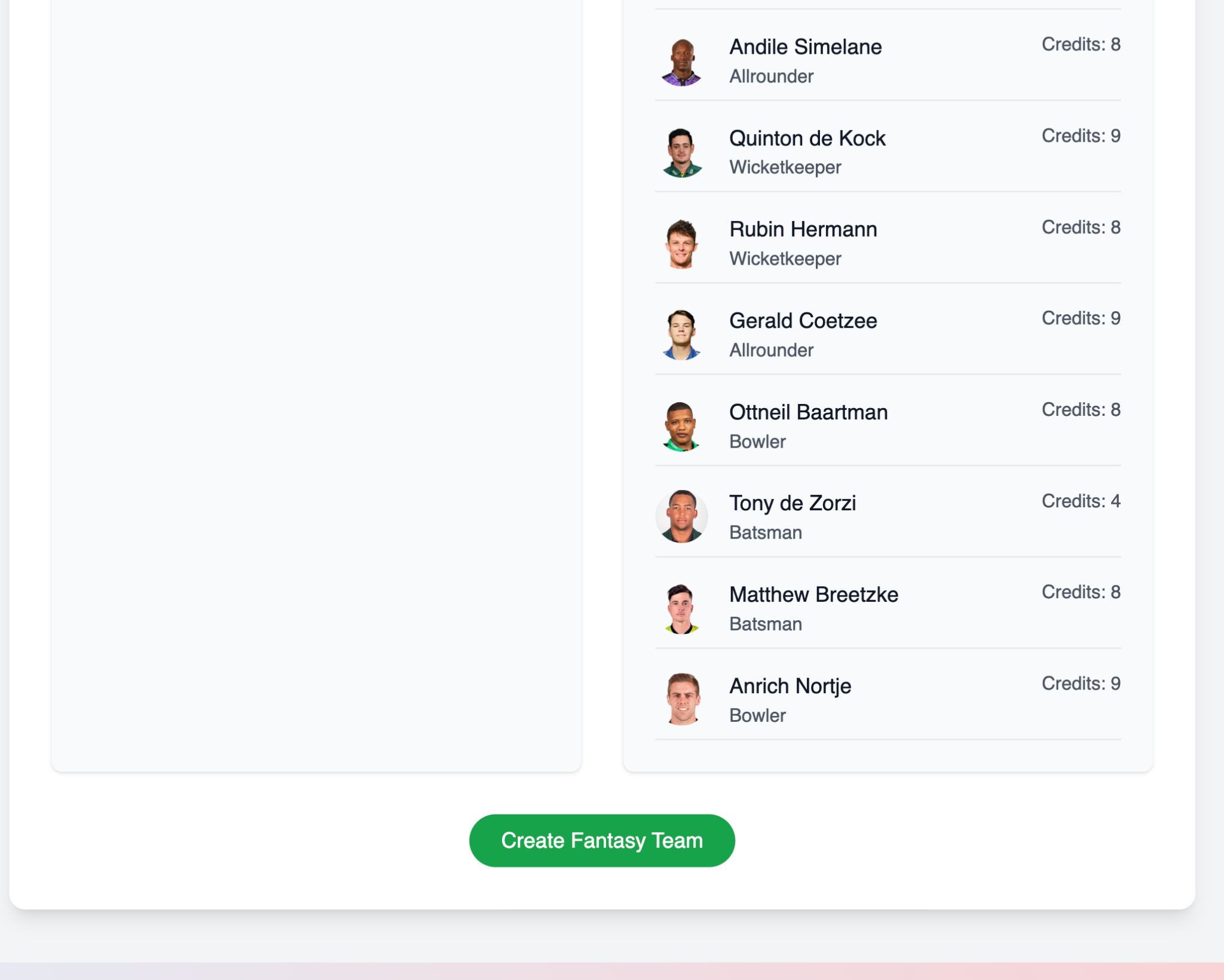
Step 5 — Build Your XI

After selecting players from each category, your squad will contain 11 players. Keep an eye on the Credits Used (out of 100) indicator.

Step 5 Image
6
Step 6 — Choose Captain & Vice-Captain

Select one player as:

  • Captain — earns ×2 points
  • Vice-Captain — earns ×1.5 points

Use the icons beside each player to assign these roles. Tip: Choose consistent performers for multiplier positions.

Step 6 Image
7
Step 7 — Save Your Team

Once your XI and Captain/Vice-Captain are selected, click Save Team. The contest entry fee (e.g., Rs. 200) will be automatically deducted from your wallet.

You will be redirected to your Fantasy Teams section where you can view your lineup and match details.

alternative

How to Add a Recharge Request on Ideal11

Follow these simple steps to add balance to your Ideal11 wallet.

1
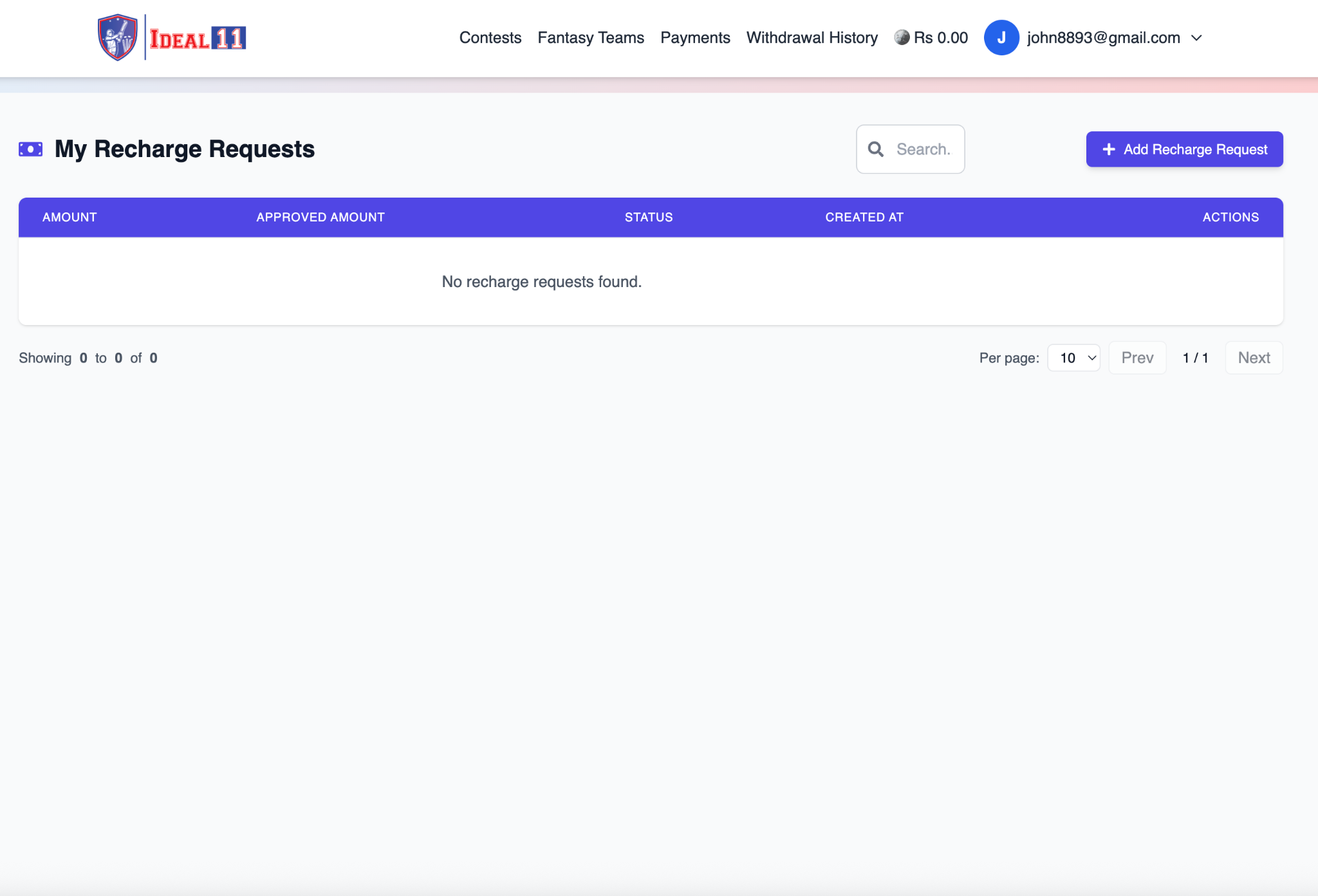
Step 1 — Go to the “Payments” Page

After you log in, click on Payments in the top navigation bar. This will open your Recharge Requests page. If no request exists yet, you will see: “No recharge requests found.”

Step 1 Image
2
Step 2 — Click “Add Recharge Request”

Click the + Add Recharge Request button on the top-right side. A new form titled “Add Recharge Request” will appear.

Step 2 Image
3
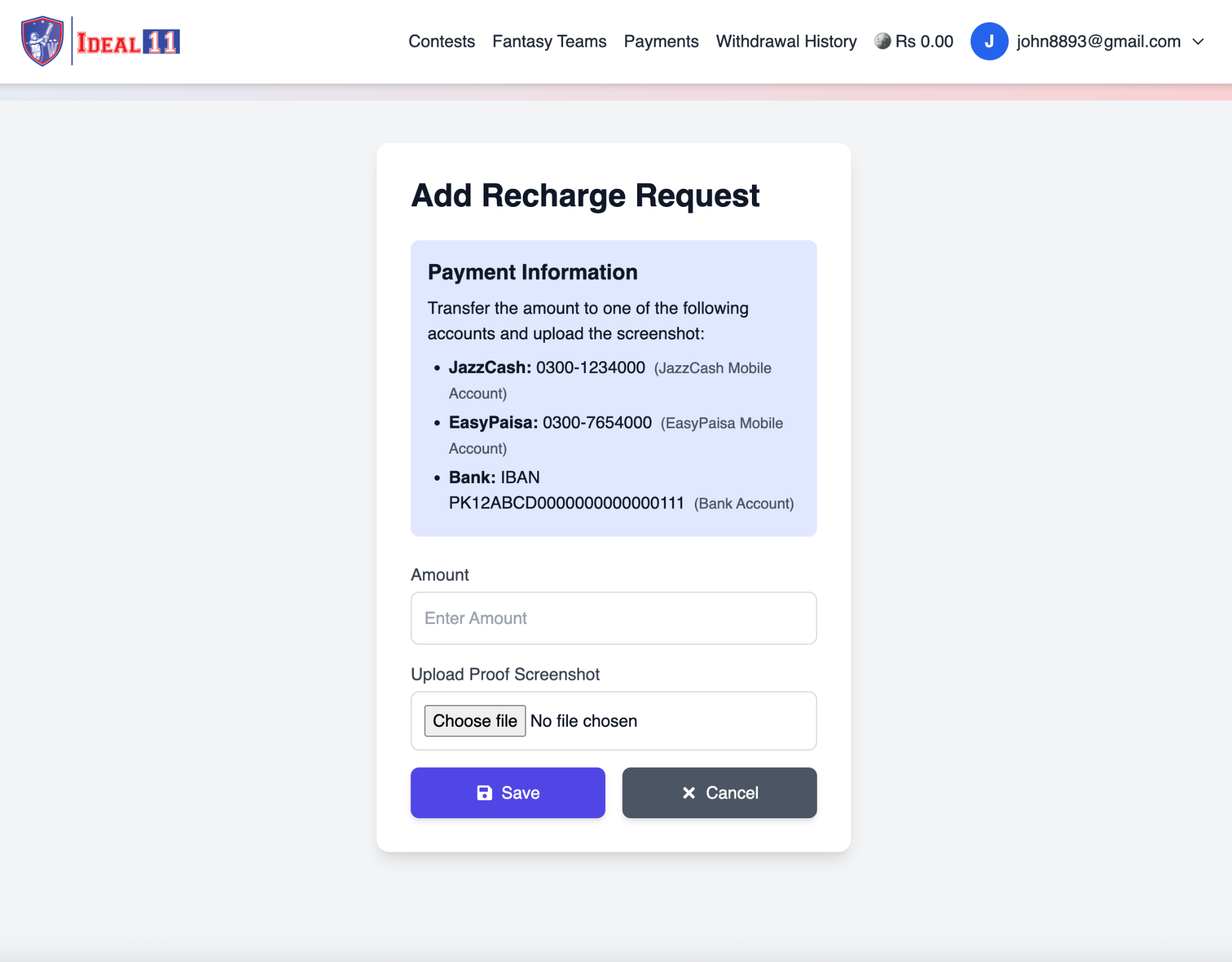
Step 3 — Make Your Payment

In the Payment Information section, you will see Ideal11’s payment details:

  • JazzCash: 0300-1234000
  • EasyPaisa: 0300-7654000
  • Bank Transfer (IBAN): PK12ABCD00000000000000111

Transfer your desired amount using any one of these accounts.

4
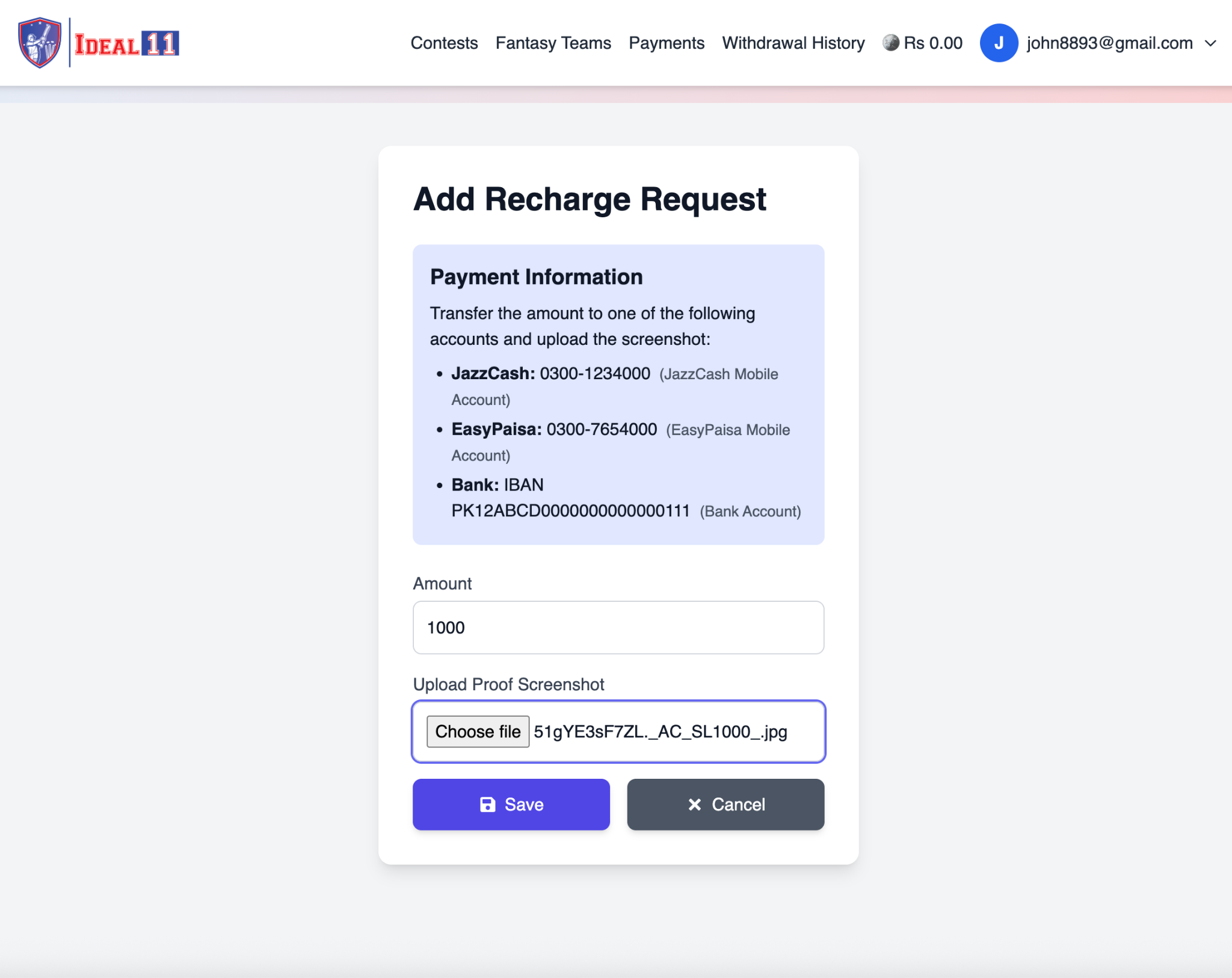
Step 4 — Fill the Recharge Form

Now enter the following details in the form:

  • Amount: Type the amount you transferred (e.g., 1000).
  • Upload Proof Screenshot: Upload a clear screenshot of your payment confirmation.

After completing the form, click Save.

Step 3 Image
5
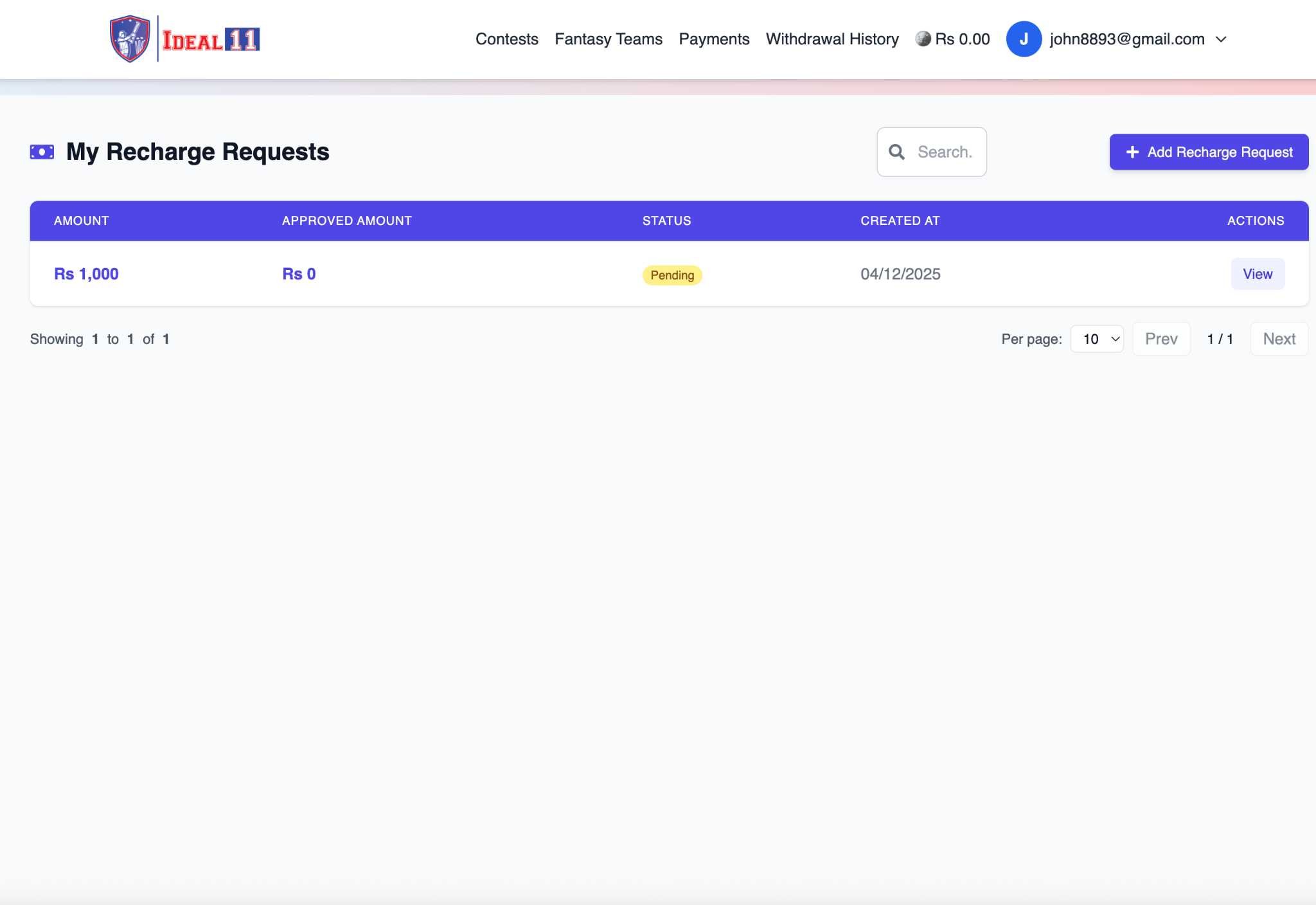
Step 5 — Wait for Admin Approval

After submitting your request, it will appear with the status Pending. Once verified by the admin, the status will automatically change to Approved, and your wallet balance will update (e.g., Rs 1000.00).

Step 4 Image
6
Step 6 — Confirmation

Once approved, you can see your updated balance displayed next to your email (e.g., Rs 1000.00). You are now ready to join contests and start playing!

Step 5 Image

Join Ideal11 and unleash your cricket expertise! Create your dream team, compete with fans worldwide, and win exciting rewards.

Join Now

Frequently Asked Questions

Fantasy sports is an online strategy-based sports game where you can create a virtual team made up of real-life players participating in live matches. On Ideal11, your team earns points based on the actual performance of the selected players in real matches. The better your team performs, the higher your chances of winning exciting cash prizes.

Yes, adding money to your Ideal11 account is completely safe and secure. Ideal11 supports multiple trusted payment methods in worldwide, ensuring your personal and financial details remain protected at all times. Once your identity is verified, you can withdraw your winnings directly to your worldwide bank account or through other supported withdrawal methods.

Ideal11 follows a detailed points system based on each player’s real-time performance in actual matches. Each action on the field – like scoring runs, taking wickets, catches, etc. – earns you points. You can view the complete Ideal11 Fantasy Points System within the app or on our official website.

Once your withdrawal request is processed successfully, your winnings are usually credited via your selected withdrawal method instantly or within 1–3 working days, depending on your bank or service provider in worldwide For more information, please visit our Help Desk.

  • Visit www.ideal11.com from your desktop or mobile browser and enter your mobile number to receive the download link
  • Android users: Download the app directly from our website (due to Play Store restrictions in worldwide)
  • iOS users: Search for "Ideal11" in the App Store and install the app

  1. Log in with your mobile number
  2. Complete your player profile
  3. Choose a live match
  4. Create your fantasy team using your sports knowledge
  5. Pay the contest entry fee
  6. Track your performance on the real-time leaderboard while watching the match live!
For more details, visit the “How to Play” section in the app or on our website.
alternative alternative
alternative

Contact us for a quote using the following form