Ideal11 is your ultimate fantasy cricket platform where strategy meets passion. Create your dream team, compete with others, and showcase your cricket knowledge. Join Ideal11 today — where every match is a chance to win and shine!
More details Contact us
Follow these simple steps to create your Ideal11 account and start playing fantasy cricket!
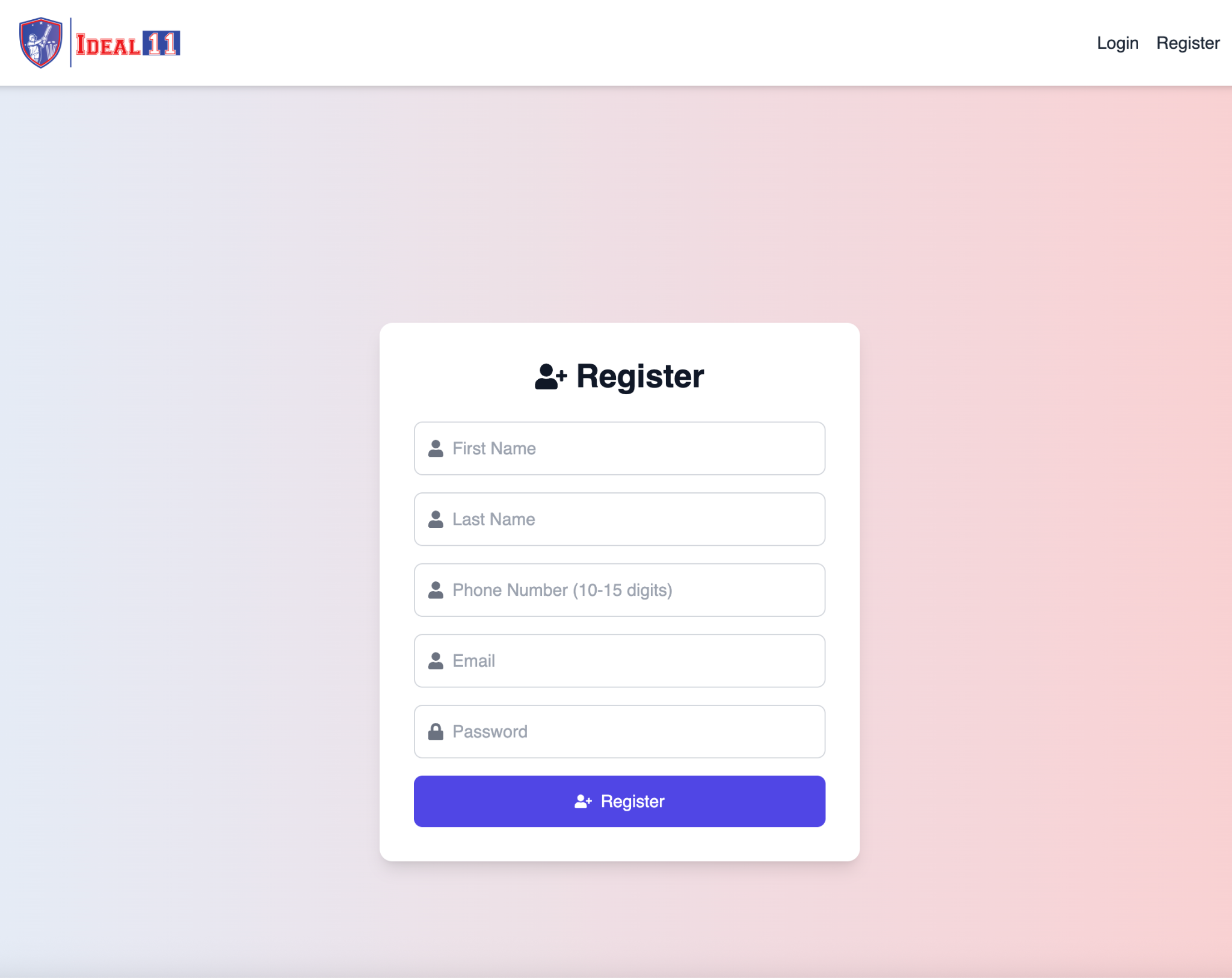
On the top-right corner of the homepage, you’ll see two buttons Login and Register. Click on Register to open the signup form.
You’ll now see a registration form like this:
After filling in your details, click the Register button. Our system will instantly create your account and redirect you to the Welcome to Ideal11 page.
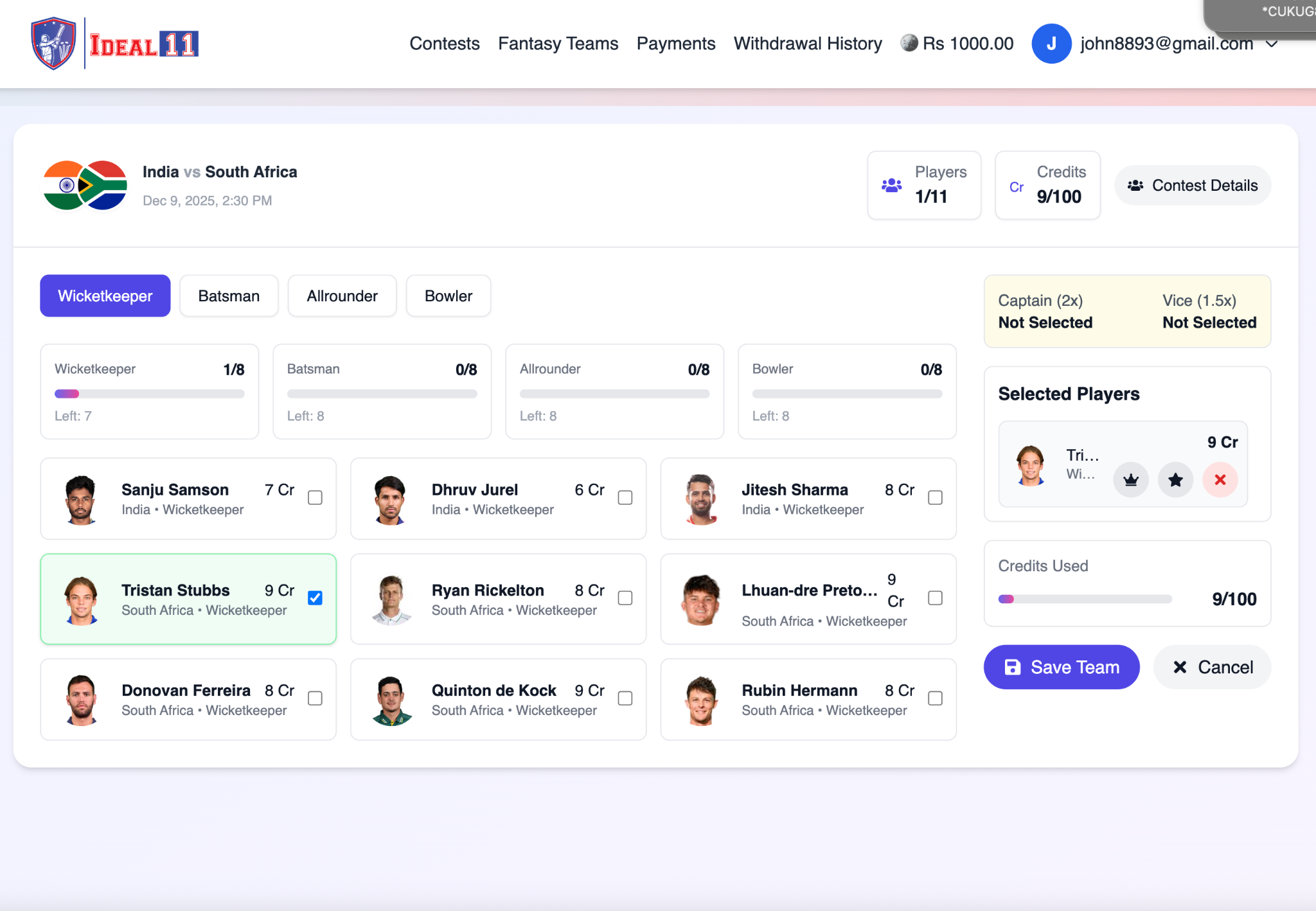
Follow these steps to build your perfect playing XI before joining a contest!
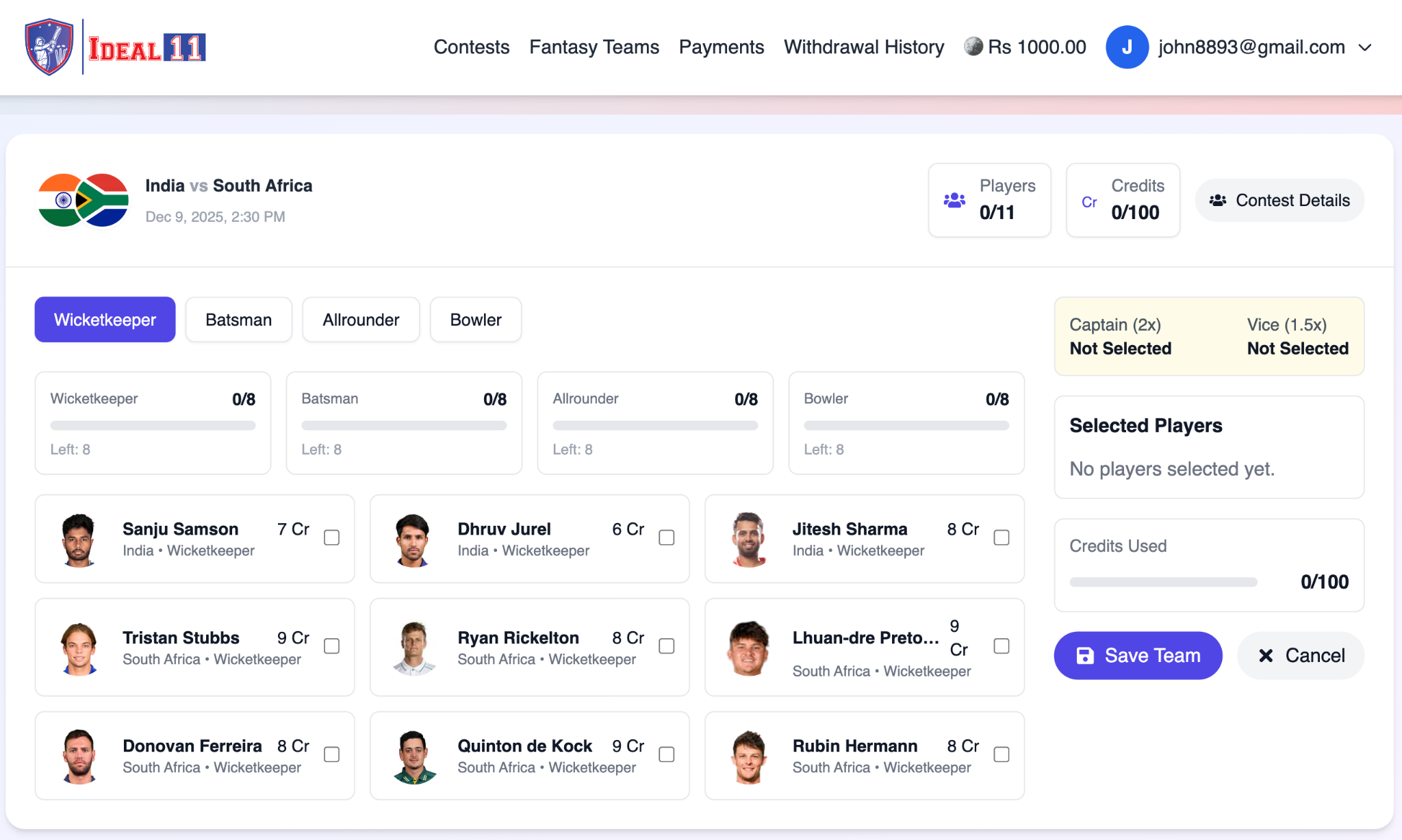
Your first category is Wicketkeepers. You will see all available keepers from both teams. Choose 1 wicketkeeper you believe will perform well, and tick the checkbox to add them to your team.
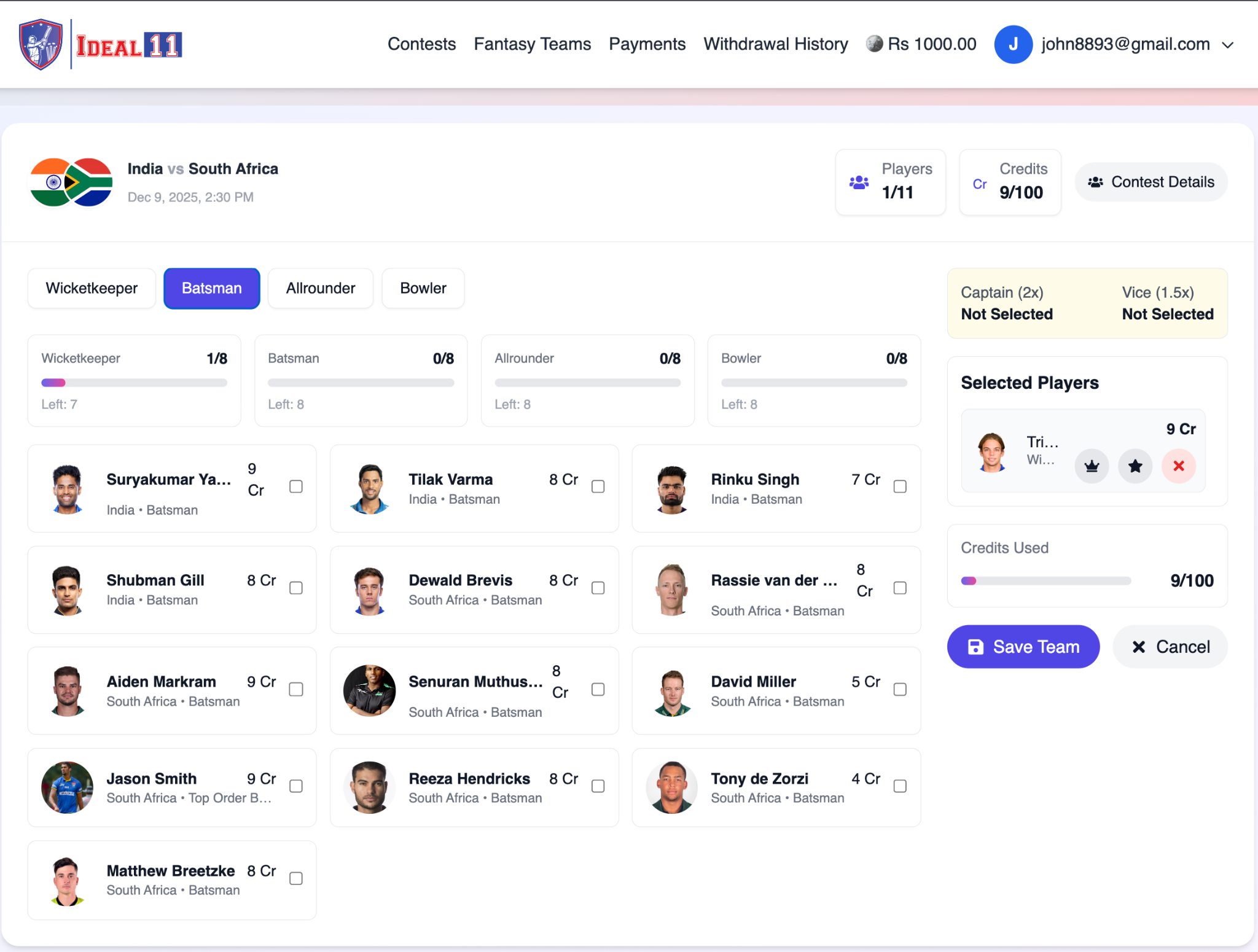
Click the Batsman tab to view all batters from both teams. Pick 3 or 4 batsmen depending on your strategy. Choose reliable top-order and in-form performers for better scoring.
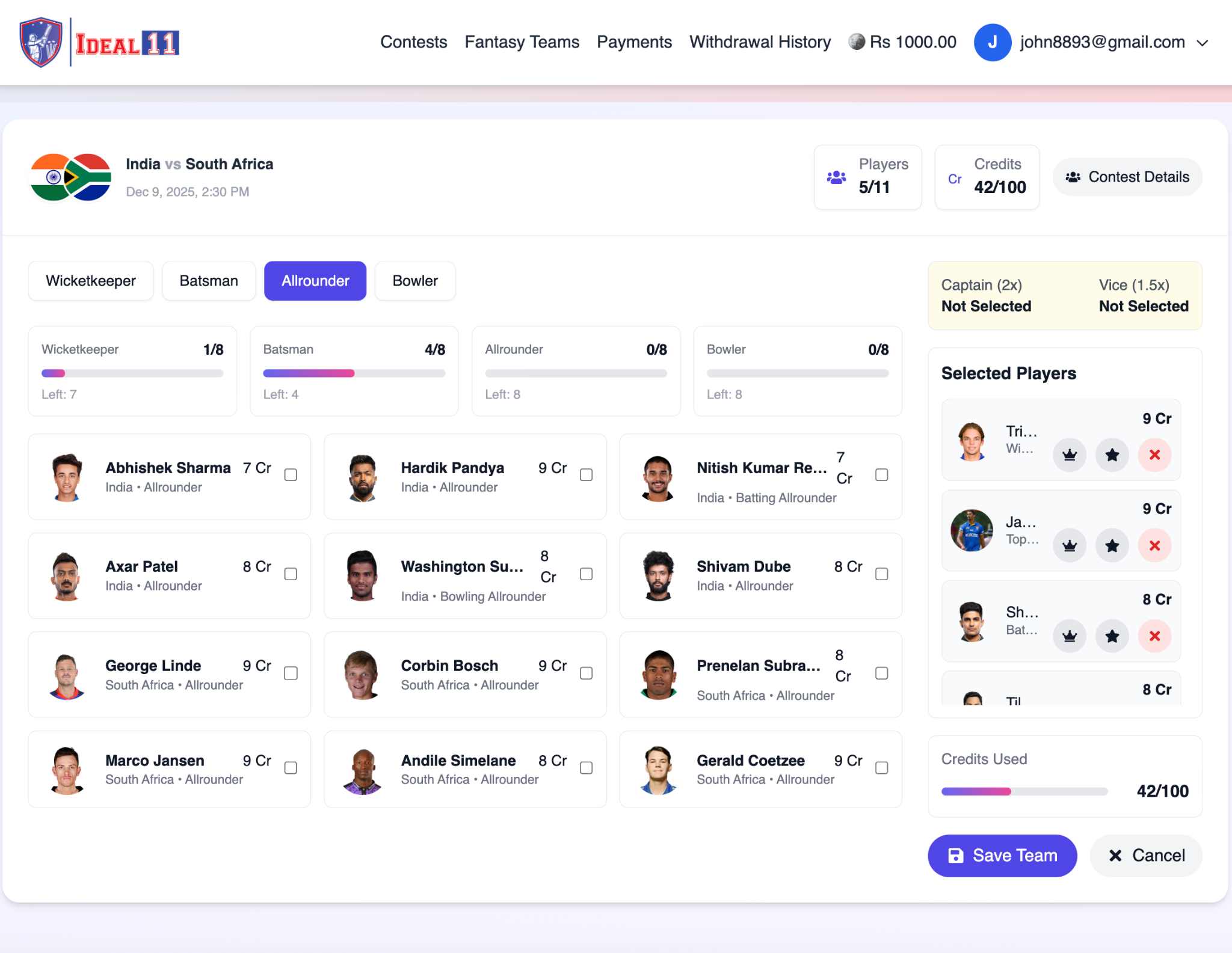
Open the Allrounder tab. These players can bat and bowl — giving double scoring opportunities. Choose 3 or 4 all-rounders based on form, batting order, and expected overs.
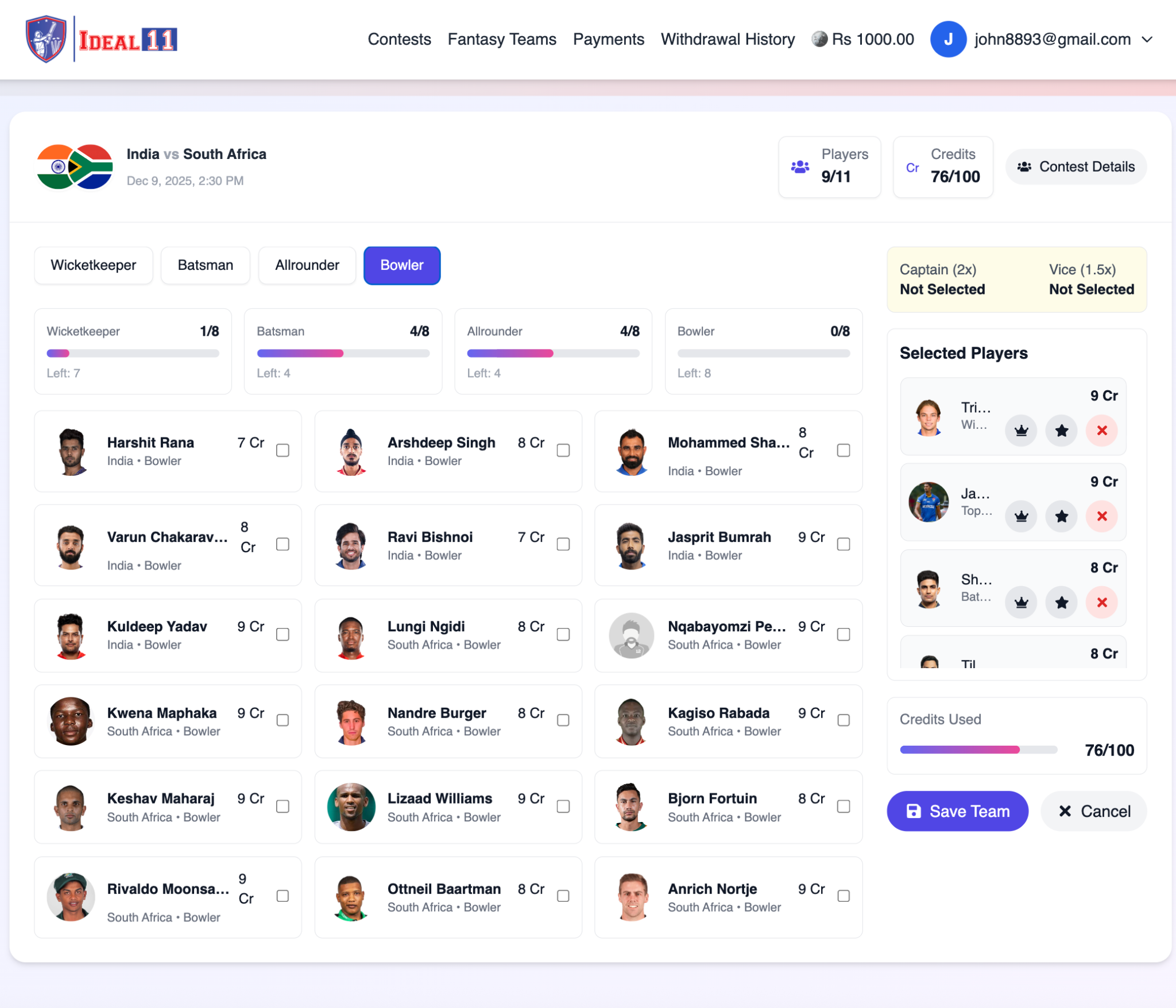
Click the Bowler tab to view all bowlers with their credits. Select 3 or 4 bowlers who are likely to take wickets or bowl economical spells.
After selecting players from each category, your squad will contain 11 players. Keep an eye on the Credits Used (out of 100) indicator.
Select one player as:
Use the icons beside each player to assign these roles. Tip: Choose consistent performers for multiplier positions.
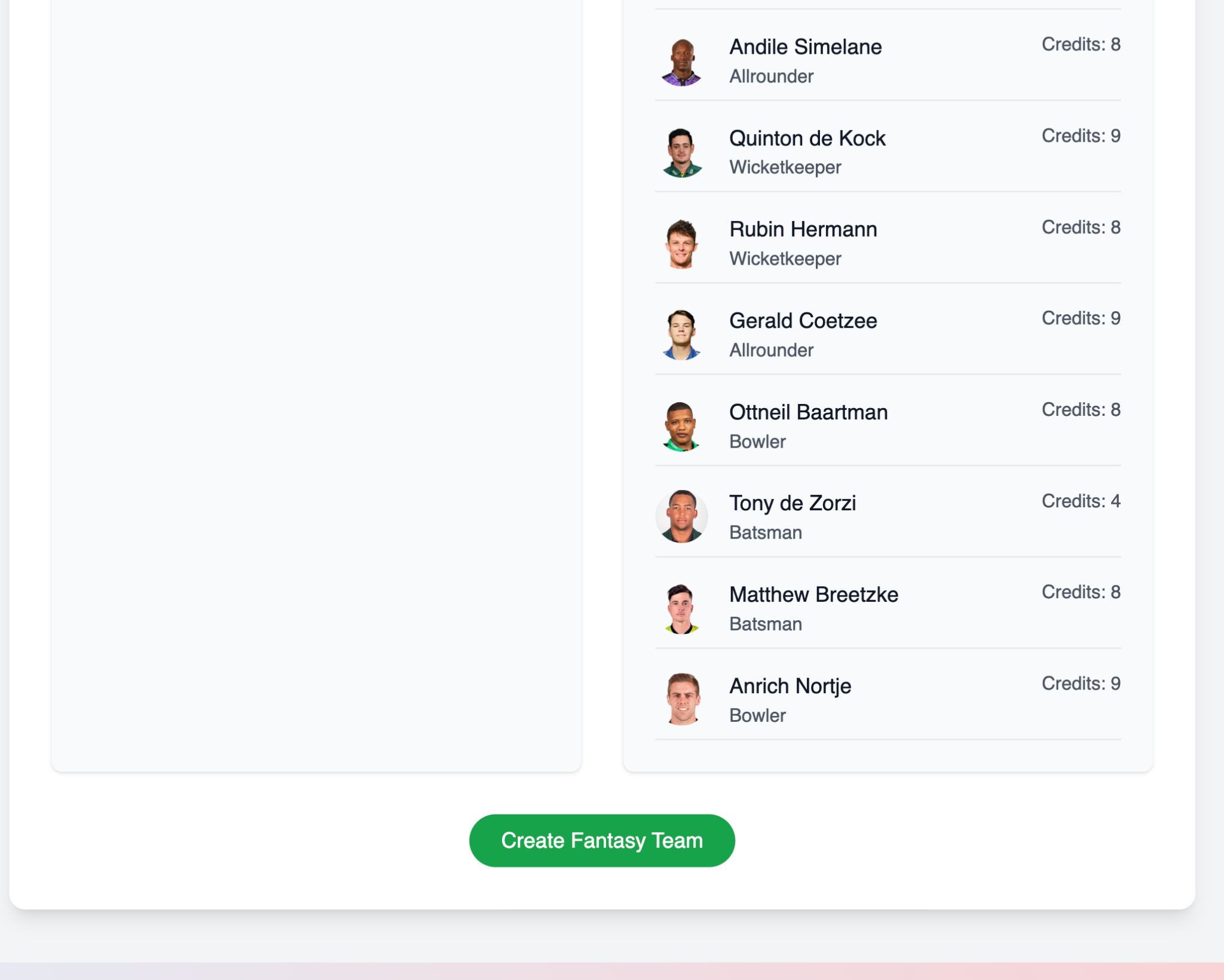
Once your XI and Captain/Vice-Captain are selected, click Save Team. The contest entry fee (e.g., Rs. 200) will be automatically deducted from your wallet.
You will be redirected to your Fantasy Teams section where you can view your lineup and match details.
Follow these simple steps to add balance to your Ideal11 wallet.
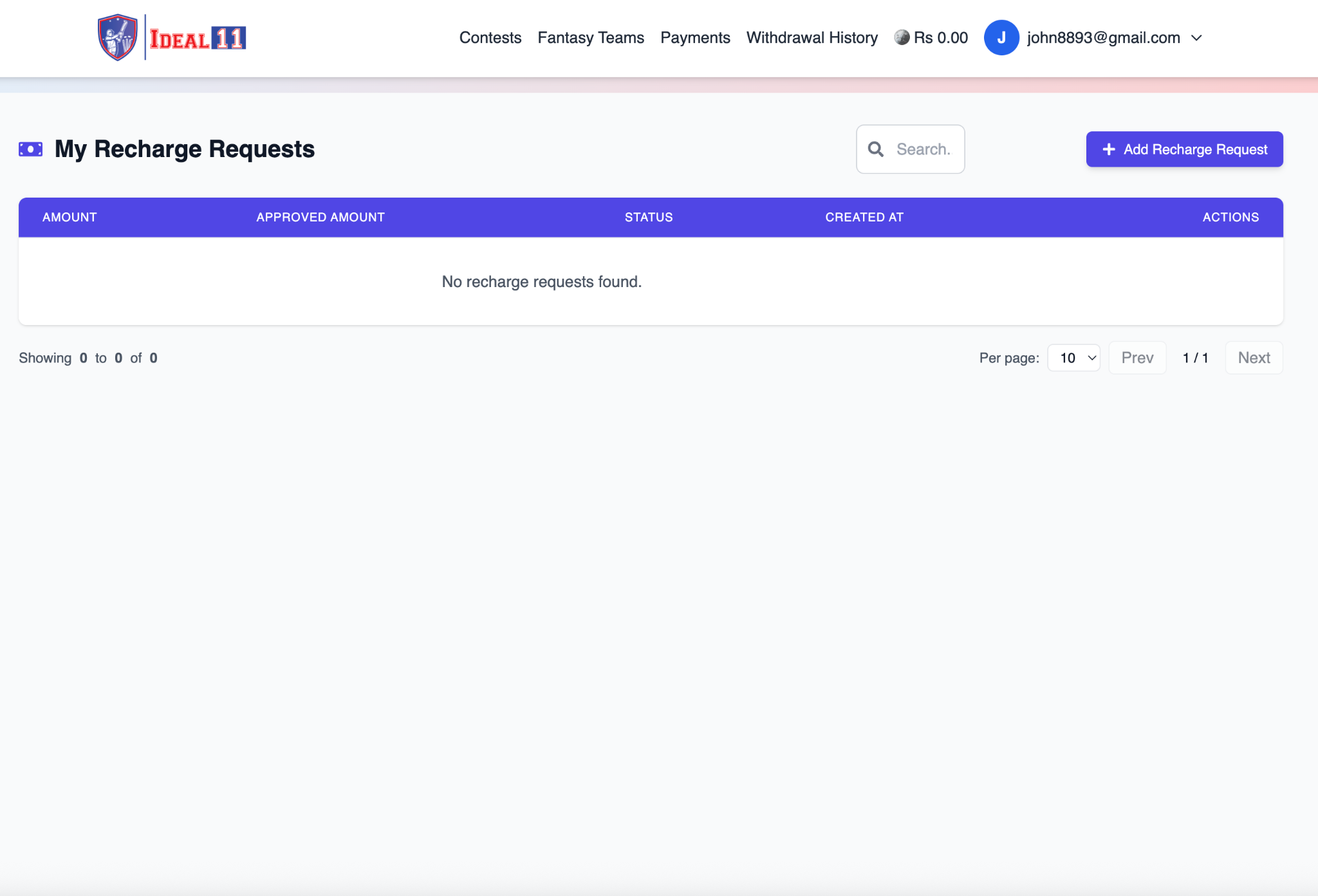
After you log in, click on Payments in the top navigation bar. This will open your Recharge Requests page. If no request exists yet, you will see: “No recharge requests found.”
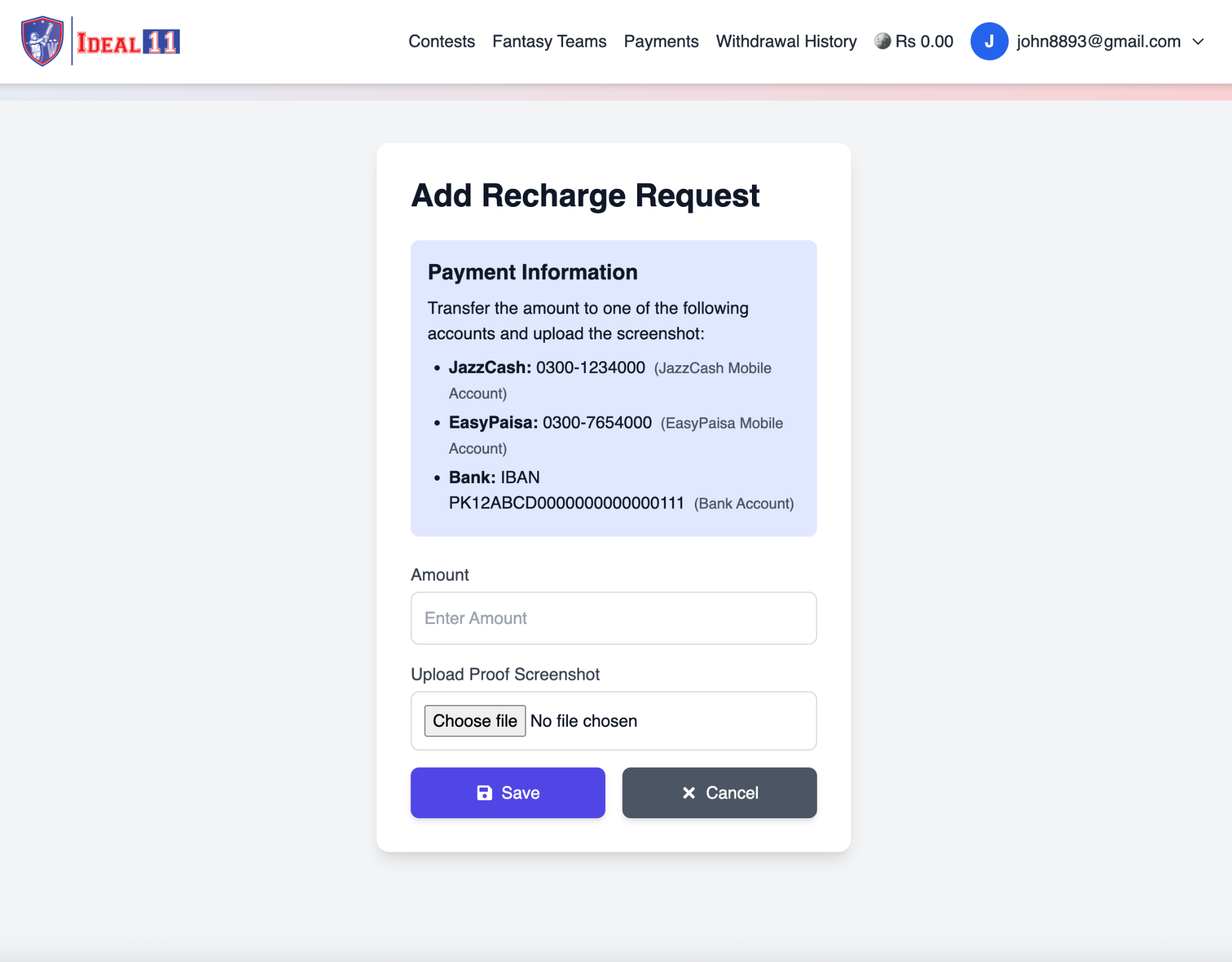
Click the + Add Recharge Request button on the top-right side. A new form titled “Add Recharge Request” will appear.
In the Payment Information section, you will see Ideal11’s payment details:
Transfer your desired amount using any one of these accounts.
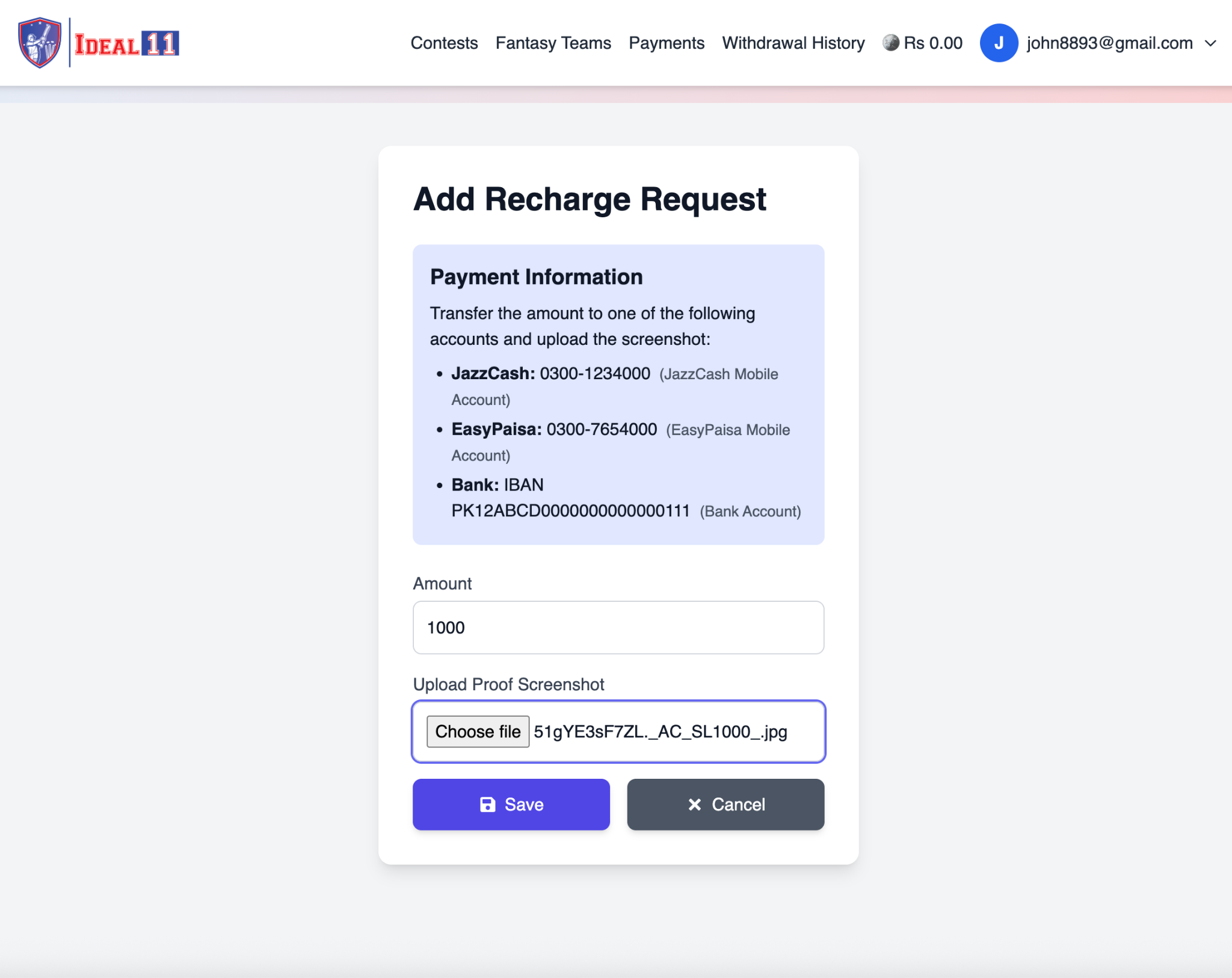
Now enter the following details in the form:
After completing the form, click Save.
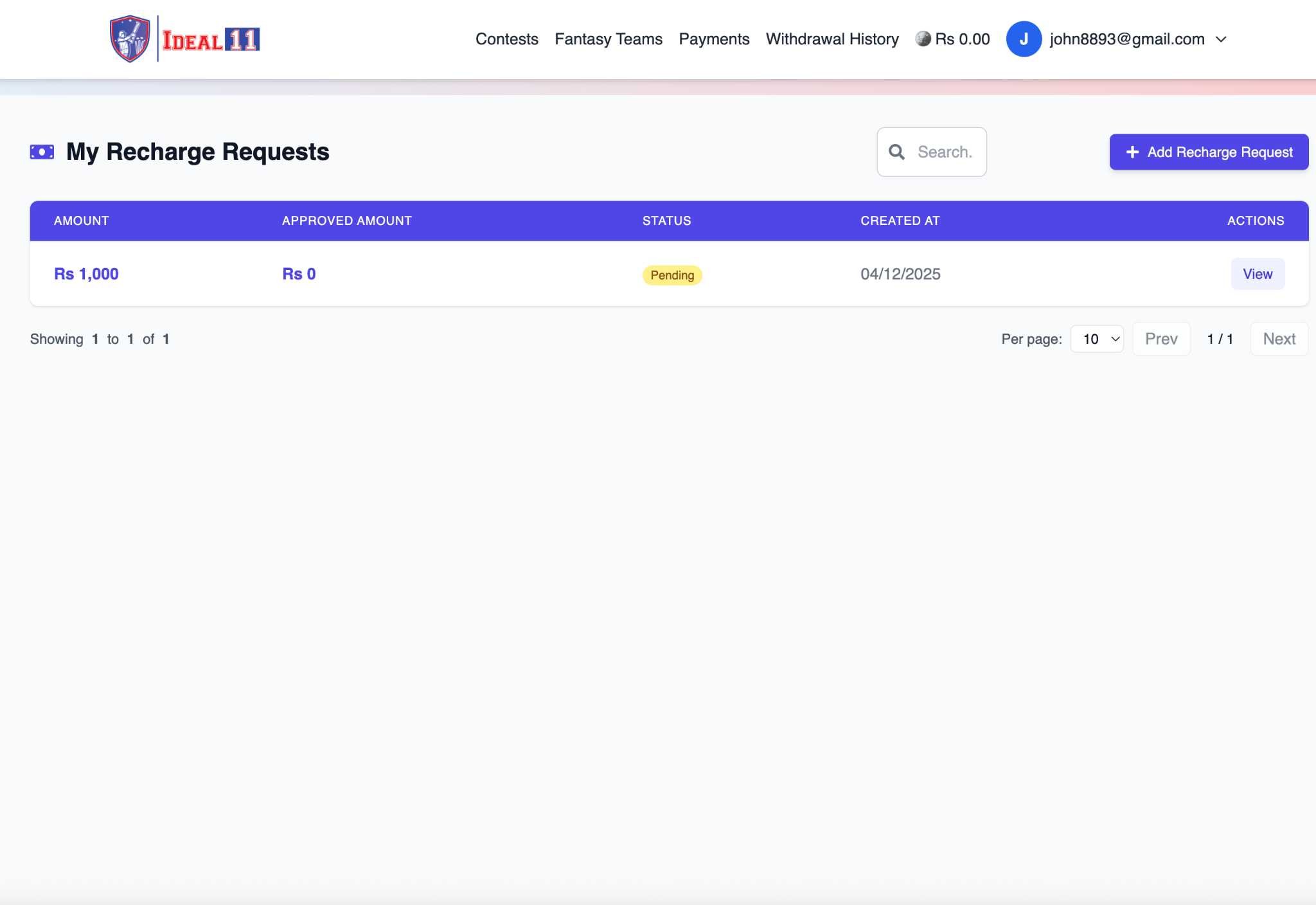
After submitting your request, it will appear with the status Pending. Once verified by the admin, the status will automatically change to Approved, and your wallet balance will update (e.g., Rs 1000.00).
Once approved, you can see your updated balance displayed next to your email (e.g., Rs 1000.00). You are now ready to join contests and start playing!
Copyright © Ideal11
Distributed By DreamX Solutions